학교에서 공연 준비를 하고 집으로 쫓겨나며 무려 9일간 개발을 쉬게 되었다(..)
일수는 그걸 제외하고 카운트했다.
setState
Statistics페이지에서 ListView에 들어갈 기록 하나하나의 양식을 RecordTile 위젯으로 따로 빼냈는데, 그럼 개별 기록을 지울 때 Record_Tile위젯의 버튼을 누른 후 ListView를 setState시켜서 업데이트해줘야 했다.
결론은?
https://stackoverflow.com/questions/51798498/flutter-setstate-to-another-class?rq=1
Flutter setState to another class?
I have a root class RootPage which is a StatefulWidget which is always in view. I would like to change the body in RootPage which is controlled by RootPage's currentPage Widget from different classes
stackoverflow.com
여기서 첫번째 답변자가 말한 본인의 이전 답변에서의 3번째 포인트를 참고했다.
Emit the data to parent Widget in Flutter
I'm trying to set the text from child widget to parent widget. But the text is not reflecting in parent widget. Tried to use setState() also but still unable to get expected result. Following is...
stackoverflow.com
-RecordListView 클래스에서 setState해주는 함수를 정의
  void refresh() {
    setState(() {});
  }
-Record_Tile 클래스가 요구하는 변수 중 함수를 추가. 이름은 callback
class Record_Tile extends StatefulWidget {
  num record_to_show;
  int record_index;

  Function? callback;		//이거 추가

  Record_Tile(
      {required this.record_to_show,
      required this.record_index, //required는 여기서는 필수.
      required this.callback}); //이거 추가

  @override
  _Record_Tile createState() => _Record_Tile();
}
-Recrod_Tile 내에서 ListView를 setState해야하는 지점에서 다음과 같이 입력.
widget.callback!() //!은 null 관련 이슈로 넣으라고 하더라
-ListView 내에서 Record_Tile를 쓸 때, callback이라는 함수는 refresh라고 지정
itemBuilder: (BuildContext context, int index) {
                return Record_Tile(
                    record_to_show: readymade_record_list[index],
                    record_index: index,
                    callback: refresh); 	//이거 추가
              }
그럼 이제 callback함수를 작동시키고, callback함수는 refresh라고 해줬으니 callback작동 = refresh작동. refresh는 setState를 하게 하니 목표 달성.
Provider
스크램블은 아예 위젯을 다른 페이지로 빼놨다. 근데 이건 솔빙이 끝날 때 업데이트 시키려면 parent -> child방향으로 setState를 시켜야 했다. 엄청나게 고민과 구글링을 한 끝에..
context.watch<TimerConnect>().update_scrData Module
class RecordSet {
  num recordTime;
  String recordScramble;
  String recordDate;

  RecordSet(
      {required this.recordTime,
      required this.recordScramble,
      required this.recordDate});
} //저장할 클래스.


class RecordList with ChangeNotifier {
  List _recordList = [];
  List get recordList => _recordList;


  void add({required num record, required String date}) {
    _recordList.add(RecordSet(recordTime: record, recordScramble: currentScr, recordDate: date));
  } //Provider를 사용해야 하니.. Notifier 내에서 이렇게 값을 추가할 수 있도록 함수 정의.

 }


Provider.of<RecordList>(context, listen: false).recordList[widget.recordIndex].recordTime
// 다른 페이지에서 필요한 값을 꺼내 쓸 때. 리스트에 클래스가 저장되니 필요한 클래스를 인덱시하고, method형태로 빼서 쓸 수 있다.

Provider.of<RecordList>(context, listen: false).recordList.sublist(0,).map((e) => e.recordTime).toList()
// 매우 중요한 배움 중 하나였던 .map(). 구성 요소를 내 마음대로 재구성할 수 있으니.. 클래스 형태로 저장했으니 이것도 method형식을 쓸 수 있었다.
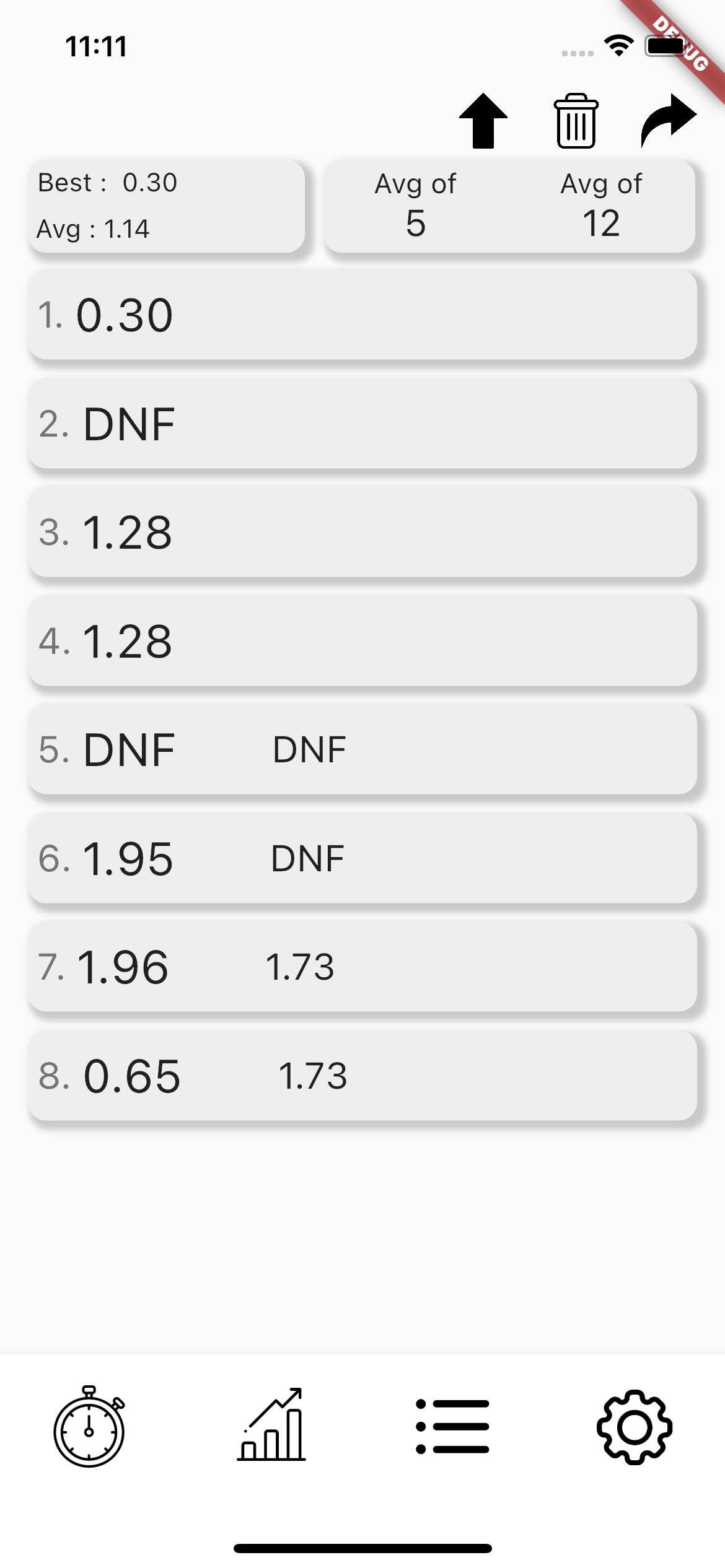
스크램블 표시, Average계산 시스템을 완성했다. 이제 UI에 더 집중하면 될듯..
'Coding > Flutter' 카테고리의 다른 글
| 큐브 타이머 개발 ~40일차 (0) | 2022.01.21 |
|---|---|
| 큐브 타이머 개발 ~8일차 (0) | 2021.12.11 |
| 큐브 타이머 개발 ~4일차 (0) | 2021.12.08 |
| 큐브 타이머 개발 ~2일차 (1) | 2021.12.06 |


